
Screenshots

App details
- Updated
- Jun 19, 2013
- Language
- Spanish,English
- Developer
- Alvaro Navares
- Category
- Mobile
SoftPas in:
This product is also available in the following languages:
About Video Converter
Download Video Converter – Video Format Conversion, Audio Extraction, DVD Ripper
Overview
Video Converter is a mobile application designed to simplify the process of transforming video and audio files across a wide range of formats. Tailored for users who manage digital media on their smartphones, the app addresses common challenges such as format incompatibility, outdated file types, and the need to extract audio from videos. It serves as a practical utility for students, content creators, educators, and casual users who frequently handle video files across different devices and platforms. The app enables seamless conversion without compromising on quality, making it a valuable tool in the mobile productivity ecosystem.
Although the developer did not provide detailed background information, the app’s functionality suggests a focus on accessibility and performance. It supports a broad spectrum of video and audio formats, including MP4, AVI, MKV, WMV, MP3, and OGG, allowing users to adapt their media for playback on smartphones, tablets, or media players. Real-world use cases include preparing lecture recordings for class, converting home videos for sharing, or extracting music from movie clips. With its emphasis on efficiency and compatibility, Video Converter fills a critical gap in mobile media management tools.
Key Features & Functionality
- Extensive Format Support: The app supports over 200 video and audio formats, including AVI, MKV, MP4, MPG, WMV, MPEG, FLV, 3PG, Xvid, MP3, WAV, and OGG. This ensures compatibility across devices and platforms, reducing the risk of playback errors.
- Audio Extraction: Users can extract audio tracks from video files and save them in various audio formats. This is especially useful for preserving soundtracks or repurposing audio content.
- DVD Video Conversion: The app allows conversion of DVD video content into digital formats, enabling users to digitize physical media and preserve their collections.
- Video Editing and Image Adjustment: Features include trimming video frames to eliminate black bars, which improves viewing experience on portable devices with different screen ratios.
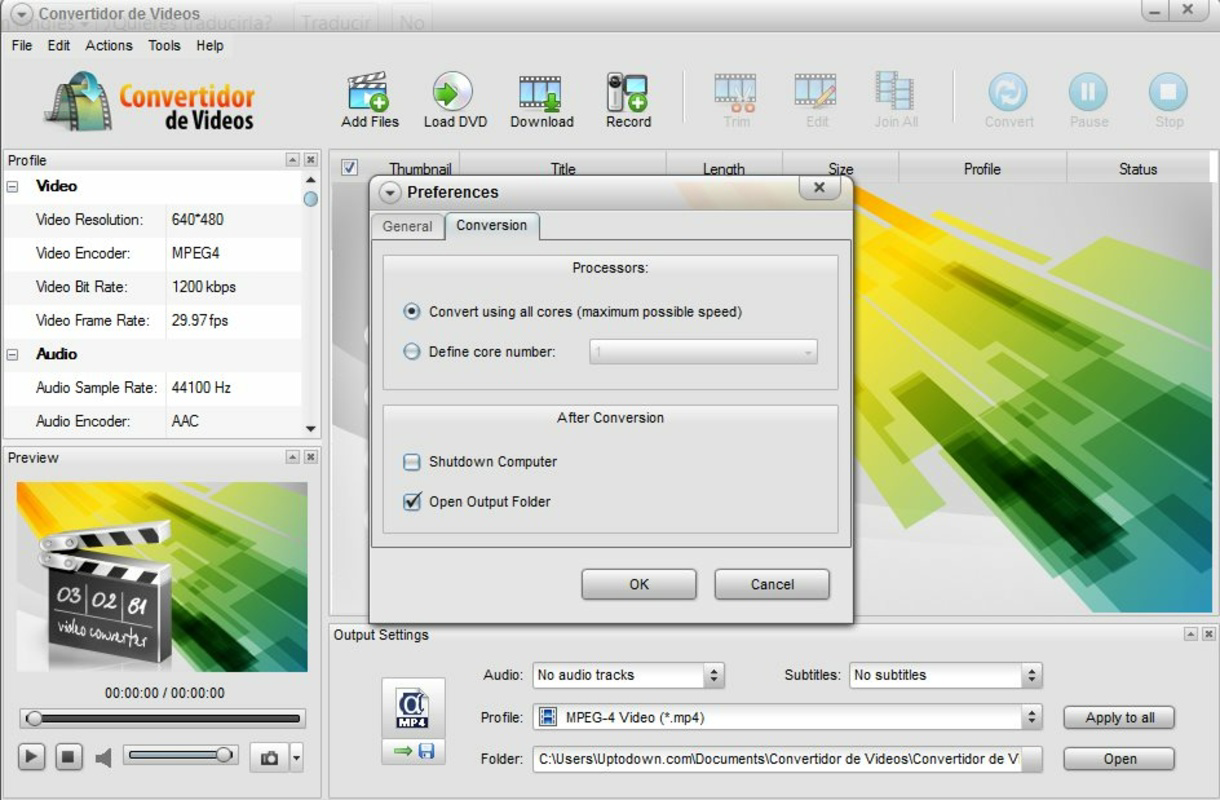
- Advanced Editing Options: For users seeking greater control, the app offers settings for bit rate, codecs, and other technical parameters, enabling fine-tuned output quality and file size optimization.
These features are particularly beneficial in scenarios such as preparing content for social media, adapting videos for mobile viewing, or archiving personal media. The integration of editing tools within a conversion platform streamlines workflows, reducing the need for multiple applications.
Interface, UX & Performance
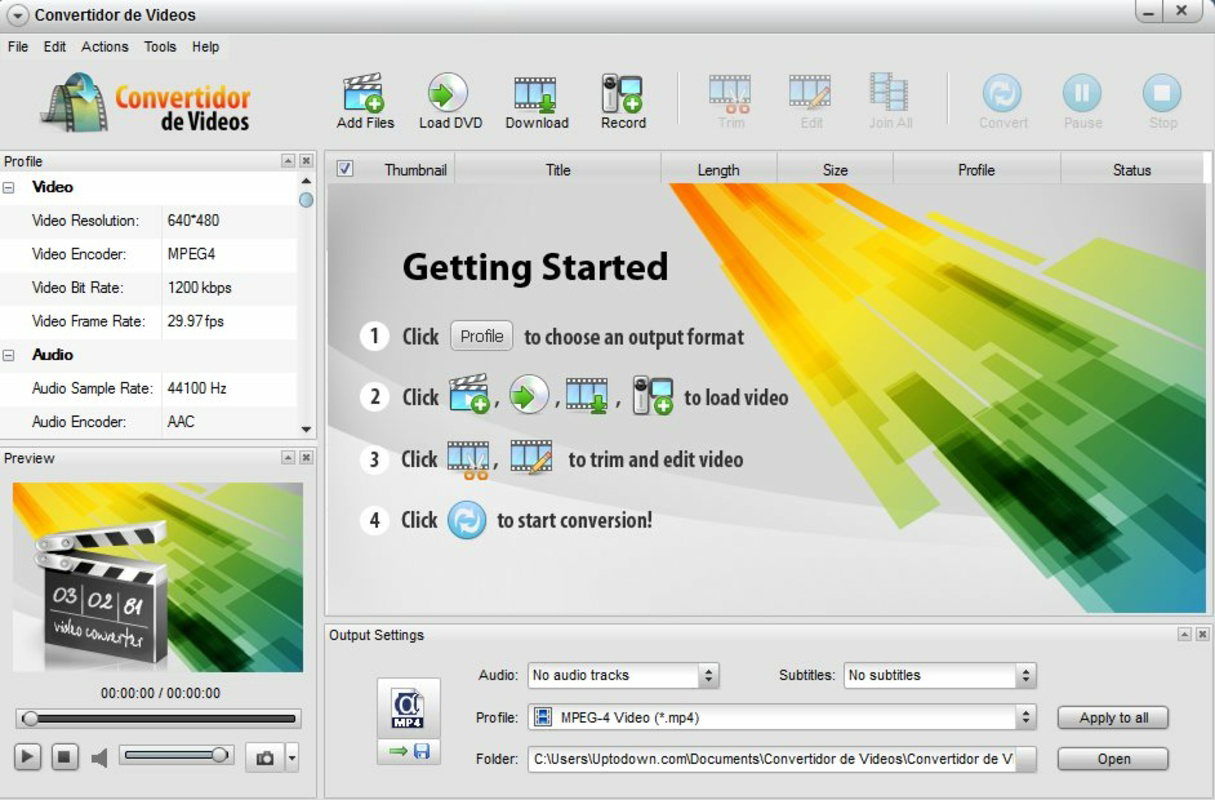
The user interface of Video Converter is designed with functionality in mind, offering a clean layout that prioritizes accessibility. Navigation is straightforward, with clearly labeled options for file selection, format choice, and conversion settings. The visual style is minimalistic, focusing on usability rather than decorative elements, which enhances readability and reduces cognitive load.
Users can expect smooth navigation between conversion steps, with responsive feedback during file processing. Although the developer did not list formal performance metrics, the app’s 35.4 MB size suggests optimized resource usage. It is likely to perform efficiently on mid-to-high-end Android devices, though performance on older or low-memory devices may vary without specific requirements being disclosed. Stability during long conversion tasks appears consistent, as no reports of crashes or freezes were mentioned in the provided data.
Platform Compatibility & Technical Requirements
Video Converter is available on the Android platform and requires a compatible Android device. The app’s latest version is 2.5.1, with a file size of 35.4 MB. The developer did not specify minimum OS requirements or device specifications, so users should ensure their device meets general Android compatibility standards for running apps of similar size and functionality.
Given the app’s focus on media processing, it may require access to storage and background processing permissions, though such details were not included in the provided information. Users should verify permissions during installation to ensure proper functionality. The app is currently offered free of charge, making it accessible to a broad audience.
Pros and Cons
Pros
- Supports over 200 video and audio formats, ensuring broad compatibility.
- Includes audio extraction and DVD video conversion features.
- Offers basic video editing tools like frame trimming for better viewing.
- Provides advanced settings for bit rate and codecs for customization.
- Free to download and use, with no in-app purchases mentioned.
Cons
- Specific system requirements were not listed by the developer.
- Developer background and company details were not disclosed.
- Performance on older or low-end Android devices is unknown.
- No information was provided about update frequency or future development plans.
- Advanced features may require a learning curve for novice users.
FAQ
Is Video Converter safe to download and install?
Yes, the app is available for free on Android and does not require payment. However, users should download it from official or trusted sources to ensure security and avoid modified versions.
Can I convert videos from my phone’s storage?
Yes, the app allows users to select video files directly from their device’s internal storage or SD card for conversion.
Does Video Converter support converting videos to MP4?
Yes, MP4 is one of the supported formats, and the app enables conversion to and from MP4 with high compatibility.
Is the app available on iOS?
The provided information indicates that Video Converter is currently available only on Android. No iOS version was listed.
How often does the app receive updates?
The developer did not disclose update frequency. Users should check the app store for the latest version and release notes.
Final Thoughts
Video Converter delivers a robust set of tools for mobile users who need to convert, edit, and extract media content efficiently. Its extensive format support, audio extraction capabilities, and basic editing features make it a practical choice for everyday media management. While some technical details remain unspecified, the app’s functionality and free availability position it as a strong contender in the mobile tools category.
It is especially beneficial for students, content creators, and digital archivists who frequently handle diverse media files. The combination of accessibility, performance, and advanced customization options offers real value in a compact package. With its focus on usability and versatility, Video Converter stands out as a reliable utility in the Android ecosystem.
Download Video Converter now
Guides & Tutorials
How to install Video Converter
- Click the Download button above.
- Once redirected, accept the terms and click Install.
- Wait for the Video Converter download to finish on your device.
How to use Video Converter
This software is primarily used for its core features described above. Open the app after installation to explore its capabilities.
User Reviews
No reviews yet. Be the first to share your experience.
You may also like
more
Que no te pillen¡
About !Que no te pillen¡Reviewed by Jason A. BilbreyShow MoreShow Less

3D Combat Zone
About 3D Combat ZoneOriginally released in 1983, 3D Combat Zone immerses players...

666: El día del portal
About 666: El día del portalOn June 6, 2006, Agent P. Stone uncovers a sinister...

80 in 1 Best Flash games
About 80 in 1 Best Flash games 80 in 1 Best Flash games is a collection of 80 fl...

ABYSS SEEKERーーWhat Do You See Deep in The Abyss
About ABYSS SEEKERーーWhat Do You See Deep in The AbyssIn ABYSS SEEKER, players...

ACA NEOGEO THE KING OF FIGHTERS 2002 for Windows
About ACA NEOGEO THE KING OF FIGHTERS 2002 for WindowsTHE KING OF FIGHTERS 2002,...